You already have a website. It’s live, customers use it, and your business depends on it. But your current agency isn’t cutting it anymore.
Maybe updates take weeks when they should take days. Maybe they don’t answer your calls or emails. Maybe the work quality has dropped, or they just don’t understand your business.
You know you need to switch, but you’re worried about what happens next:
- Will your site go down during the transfer?
- Do you even own your website files and domain?
- How long before the new agency gets up to speed?
The good news is that switching doesn’t mean starting over. You can move to a new agency without breaking your site or losing weeks of work.
Here’s how to plan and execute a smooth web design agency transition this year
Clarify Why You’re Switching, and What You Want Next
Before you start looking for a new agency, sit down and write out why you’re leaving. Is it the missed deadlines? The lack of results? The way they never get back to you?
You need this for yourself first. When you talk to new agencies, they’ll ask what happened with your last one. If you just say “they were bad” or “we didn’t click,” you won’t learn much about whether the new agency is different. But if you say “they took three months to add a contact form” or “my site traffic dropped, and they had no answers,” good agencies will tell you how they handle those exact issues.
Now think about what you want from the next relationship. Do you need someone who answers emails the same day? Do you want a team that tracks your numbers and tells you what’s working? Or do you just need a partner who finishes what they start?
Write that down too. When you’re clear about what failed and what you need, the right custom web design company stands out fast.
Organize Your Website Assets
One of the most important steps you can take before the switch is gathering all your key assets and credentials. This includes:
- Hosting logins and cPanel credentials
- Domain registrar access
- Admin-level CMS credentials (e.g., WordPress, Shopify)
- Branding files like logos, fonts, and style guides
- Original image and video assets
- Analytics, heatmaps, and tracking credentials (Google Analytics, Tag Manager, etc.)
If your current agency manages these, request a full export of the data. You should always retain ownership and control over your digital assets.
Plan for Overlap
The worst thing you can do during a web design agency switch is to go days without anyone monitoring your site. If something breaks during the handoff (like your site crashing or checkout forms failing), you need someone who can fix it fast.
Make sure your new agency is ready to step in before you cut ties with the old one. Ask them when they’ll take over support and confirm they have access to everything they need.
A one or two-day overlap where both teams are aware of the transition keeps your site running while the handoff happens.
Communicate the Change to Internal Stakeholders
If your website is a key part of your business operations, make sure your internal team knows about the agency switch. The transition affects sales, customer service, and anyone who uses the site to do their job.
For example, your customer support team might need to coordinate with your designers if you’re restructuring FAQ pages or contact forms. Or your product team may need to weigh in on navigation changes that affect category structure.
Tell your team early. This way, nobody gets surprised when logins change or when they need to approve new page layouts.
Don’t Expect Miracles Overnight
After switching agencies, it’s normal to expect your site to improve quickly. However, don’t expect everything to change overnight, as good work takes time to plan and execute.
For example, your new agency might spend the first few weeks reviewing your site, understanding your business, and planning what to fix. You won’t see changes right away, but this prep work prevents mistakes later.
While you do need to be patient with timelines, you also need to demand transparency. A good web design agency will explain what they’re doing, share their timeline, and keep you updated on progress. You won’t have to chase them down for details.
Think Beyond the Redesign
While you may want a website that looks better, think beyond just aesthetics. A redesign won’t help if the new site doesn’t bring in more customers or increase sales.
When you talk to your new agency, ask them about more than colors and layouts. Ask how they’ll make your site work better for your business. Will they improve your contact forms so more people fill them out? Will they make sure your site loads quickly on phones? Will they help your pages rank higher on Google?
The right agency treats your website as a business tool that drives results. If they only focus on design and ignore performance, search rankings, and conversions, keep looking.
Start Your Transition Today
You don’t need to stay stuck with an agency that isn’t working. Search for a “web design agency near me” on Google and see what options are available in your area. Reach out to a few agencies and ask how they handle transitions from other providers.
For example, our team at Utah Marketers walks you through every step of the handoff. We audit your current site before we touch anything, secure all your credentials and backups, coordinate the DNS transfer to avoid downtime, and give you a detailed timeline so you know exactly when each phase happens.
If you’re ready to work with a team that treats your transition seriously, reach out today.
Video

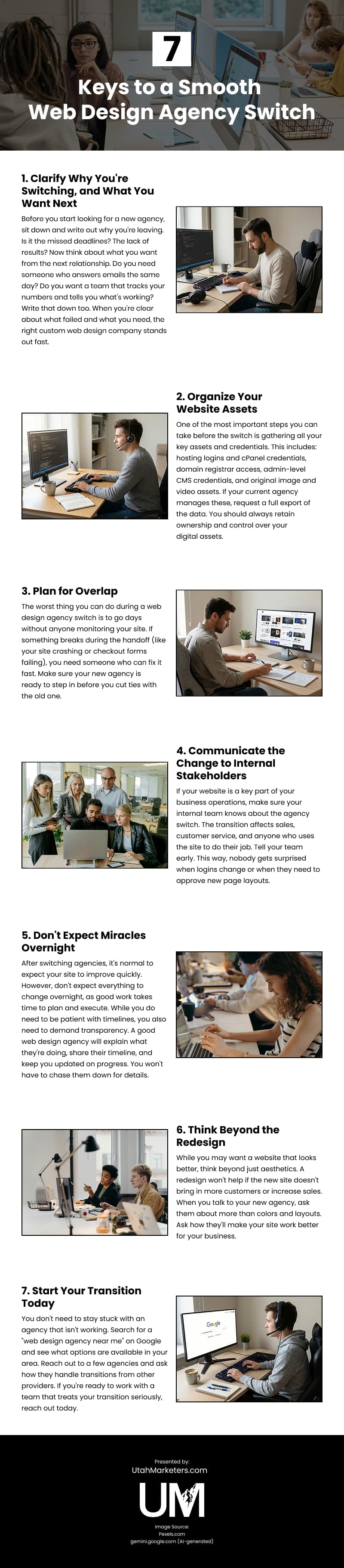
Infographic
Switching web design agencies doesn’t mean starting over or risking downtime. A smooth transition begins with understanding why your current partnership isn’t working and clarifying what you expect moving forward. Explore this infographic for practical tips on making the switch successfully.